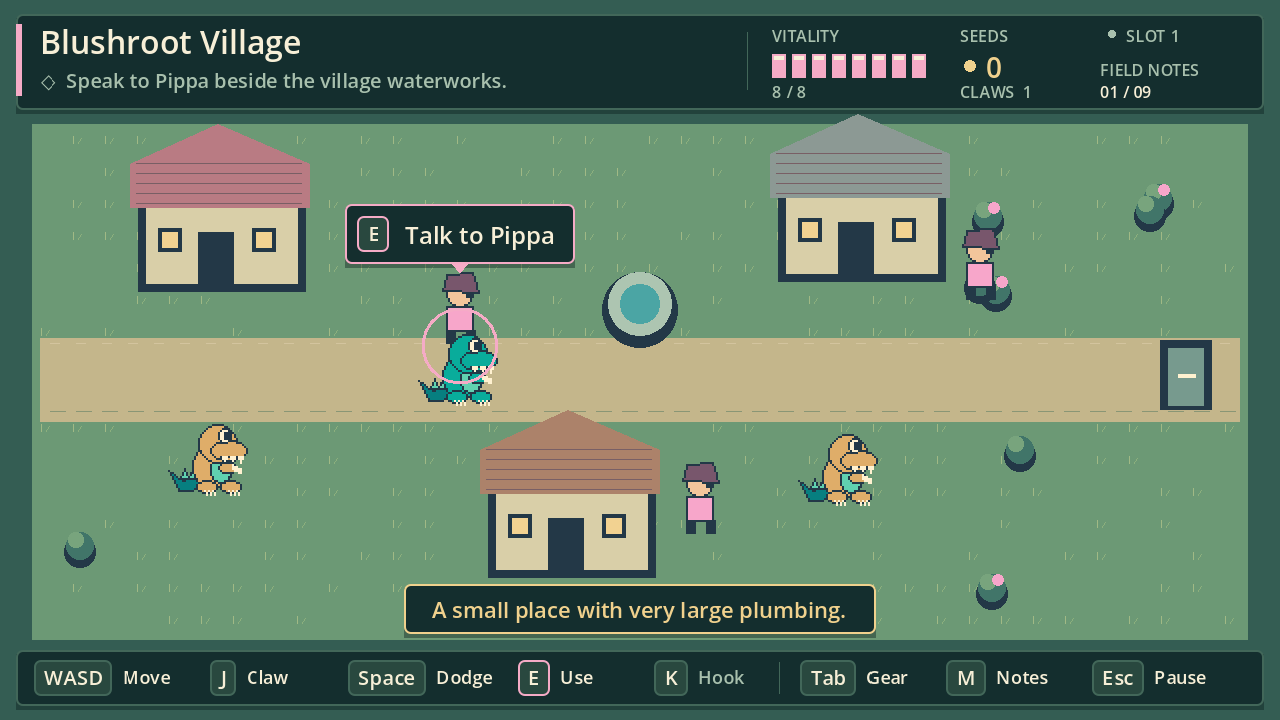
01 / CLAW & DODGE
Get in. Swipe. Get out.
Watch for a warning, make your move, and dodge the reply. Those tiny arms have a surprisingly useful reach.
A LITTLE STRANGE. A LOT OF HEART.
A dinosaur. A broken Heartseed.
And plumbing older than anyone remembers.
Welcome to Blushroot. Grab your claws, follow the water, and help a wonderfully odd little village find its flow again.
Browser, Windows & Linux · Single player · Shared account saves
Verified account, paid access and internet required. Sign up & view access options ↗
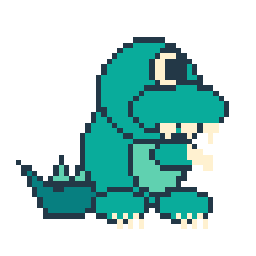
Excellent claws.
Questionable qualifications.
WELCOME TO BLUSHROOT
The Heartseed that powers the village waterworks has fractured. Pink growth is choking the channels, and forgotten machines are waking beneath the marsh.
Head into the Bloomworks to bring its missing core home. Along the way, meet a hopeful mechanic, an anxious dinosaur courier, and a gardener who has misplaced something rather special.
A small place worth saving.
SMALL ARMS. A FEW GOOD TRICKS.
01 / CLAW & DODGE
Watch for a warning, make your move, and dodge the reply. Those tiny arms have a surprisingly useful reach.
02 / MEET THE VINEHOOK
Hook onto gold rings to cross water and pull old machinery back into motion. Even the Groundskeeper has a loose end.
03 / TAKE THE DETOUR
A lost moonflower. A missing parcel. A suspicious hollow stump. Make time for the little things—and the neighbors who need them.
EARLY ALPHA · VERSION 0.1.0
Prefer a desktop download? The native edition has the same adventure: nine connected rooms, a missing Heartseed, and a village waiting for you. A Steam release is planned; these are direct alpha downloads.
This is a work in progress. Art, combat and puzzles are still evolving. Expect a little moss around the edges.
Verified account, game access and internet connection required. Shared saves across browser and desktop.
Steam release planned. Windows playtesting is pending.
A QUICK HEAD START
Prefer a controller? Left stick to move, X to claw, A to dodge, B to interact, and RB for the Vinehook. Remapping is in Settings.
Create your account, verify your email, then purchase game access through Stripe. Your access covers the browser, Windows and Linux versions with the same account. Pricing and any recurring billing terms appear in your account before checkout; purchases open once the store is configured.
Your account portal lets you update your profile and password, view invoices, and open Stripe’s billing portal to manage payment details and any subscription. Verification and password-reset links arrive by email.
Yes. Windows and Linux downloads require sign-in and internet access, just like the browser version. Saves live on your account. If a connection or save fails, play pauses so you can reconnect and retry. Wait for “Saved to your account” before closing; unsynced progress is lost if you close the game.
Use one device or browser tab at a time. If another device changes a slot, the game stops the save and asks you to reload the server copy rather than silently replacing it.
A Steam release is planned. These are direct alpha downloads; Steam purchase linking is not available yet. Account saves are provided by clintoris.com, not Steam Cloud.
Unzip your download first. On Windows, open clintoris.exe. On Linux, make clintoris.x86_64 executable and launch it:
chmod +x clintoris.x86_64
./clintoris.x86_64
Sign in with your clintoris.com account when the game opens. Use the same account on each device. The README in your download includes more details.
Saves are stored securely on your clintoris.com account. The browser, Windows and Linux versions share three slots. Sign in on another device to continue. Play in one tab or device at a time.
There are three save slots. Rest at a blue well to heal and save; changing rooms also saves your progress. You can save from the pause menu, too.
No—this is the first playable alpha. The story has an ending, but animation, world detail, puzzle depth and combat tuning still have room to grow. Playtime and controller behavior need more human playtesting.
Yes—play the alpha in your desktop browser. You’ll need WebGL 2 and a keyboard or controller. Touch controls are not included, so phones aren’t supported for gameplay yet. Windows and Linux downloads are also available.